Free rowing app for Android · version 1.1
A SpeedCoach in your pocket.
Takt shows stroke rate, split per 500 m, speed, distance and heart rate on the water, using nothing but the phone's GPS and accelerometer. Set up pieces and workouts, row them on the water or on a Concept2 erg, and export every session as GPX or TCX, or straight to Strava.
No account·no ads·no analytics·no server·open source, GPL-3.0·Android 8.0 and up
Download
- Version
- 1.1 (build 2) · signed release
- Size
- 13 MB
- Requires
- Android 8.0 (API 26) or later · no Google Play services needed
- APK SHA-256
- 1fa7613dfb5cdf743c9ae1ab3f29e3ce735b4a0cda68099acda3e441c67a8f9a
- Signing key
- cfc704ed858a69289d448d56262efd812ec768869da6a807af90ad3ae208070a
Signed with the developer's key. Android still warns about apps installed from outside the Play Store; that is expected. Later versions install over this one, and the signing-key fingerprint above lets you check that a file really came from here. If you installed the earlier debug build, uninstall it first: it was signed with a different key, so this one cannot replace it. Export the sessions you want to keep before you do.
Takt is early software. The stroke detector has been tested on recorded signals and in the demo mode, and is still being proven in a real boat. Treat the first outings as a trial, and keep the SpeedCoach in the boat until you trust it.
Install
- Open the APK on the phone, from the browser's downloads or from Files.
- Android asks to allow installs from this source. Allow it for the browser or Files app, then come back.
- Tap Install. The first launch asks for location (the GPS) and, when you add a strap or an erg, for Bluetooth.
- In Settings, allow Takt to run without battery optimisation, or Android may pause the GPS mid-row.
Screens
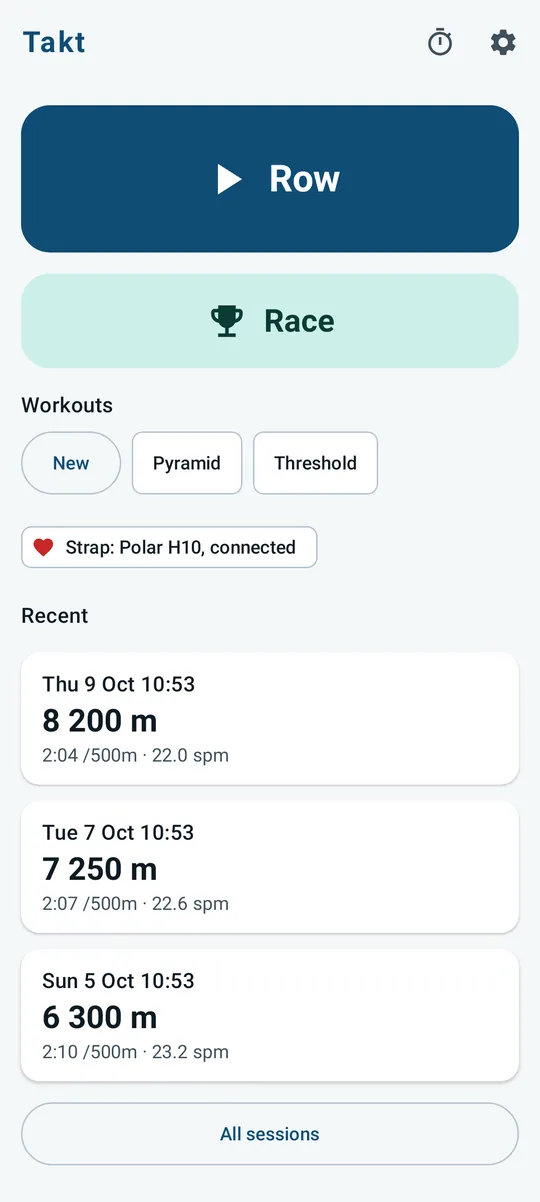
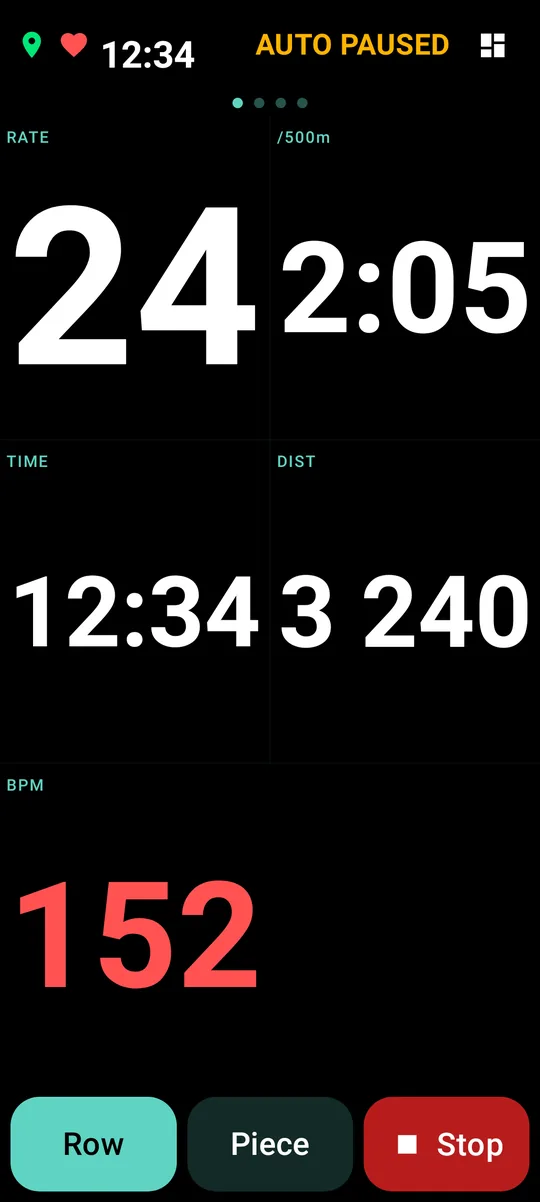
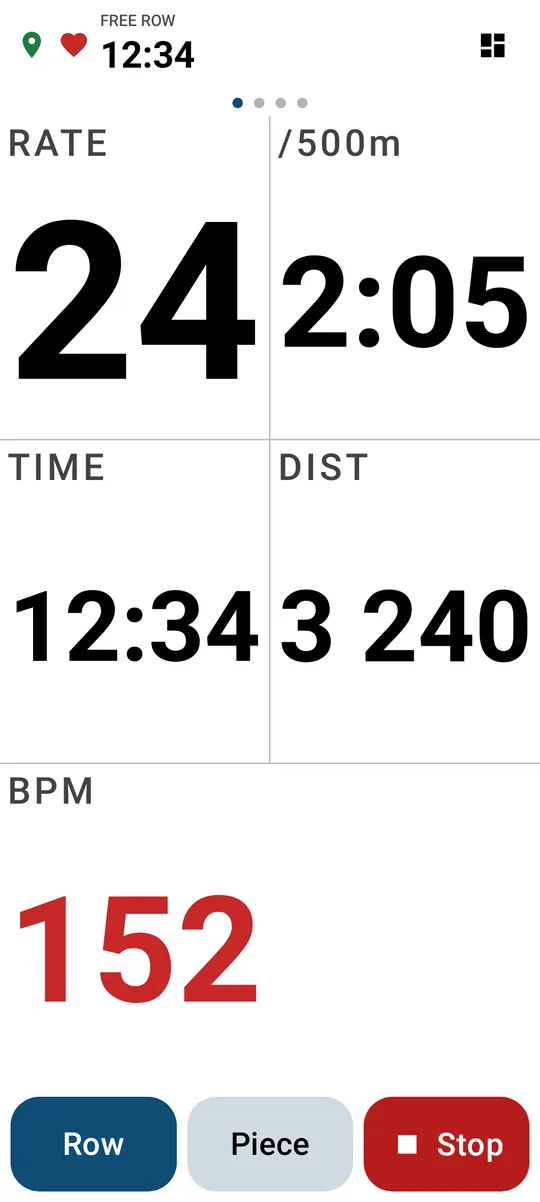
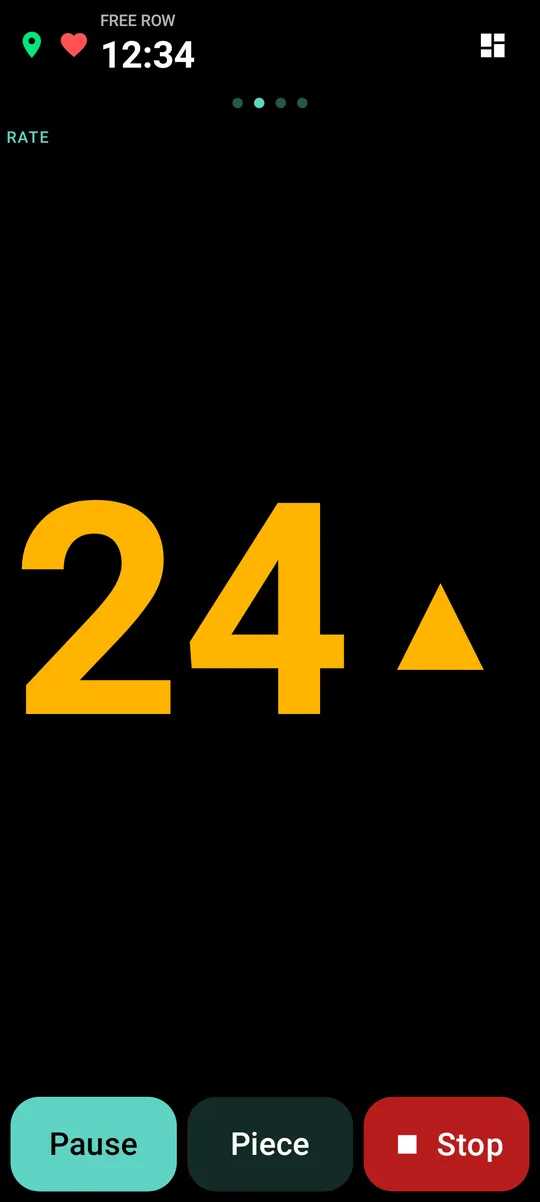
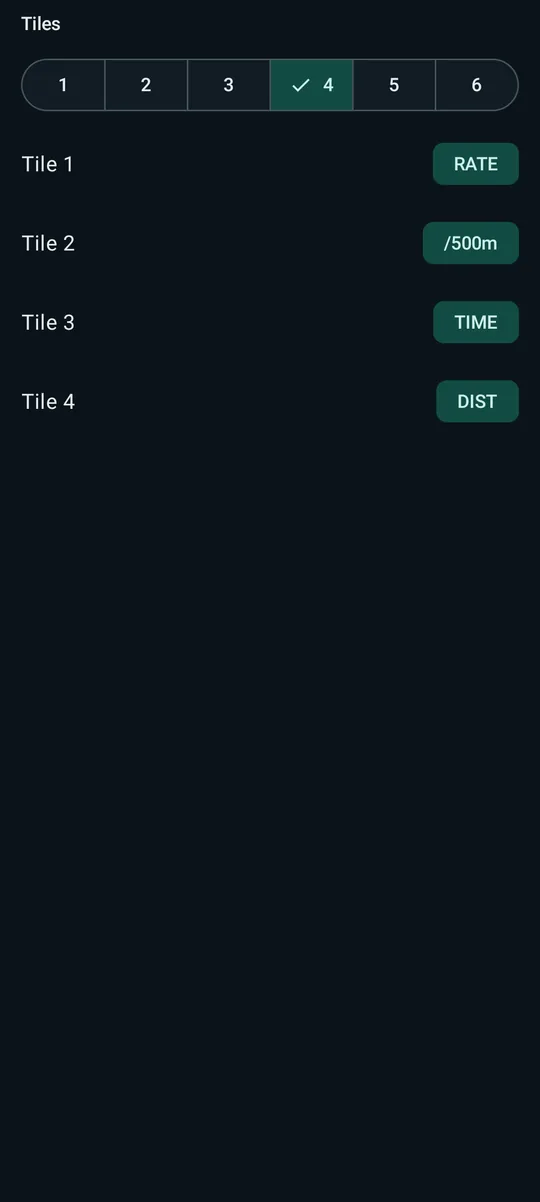
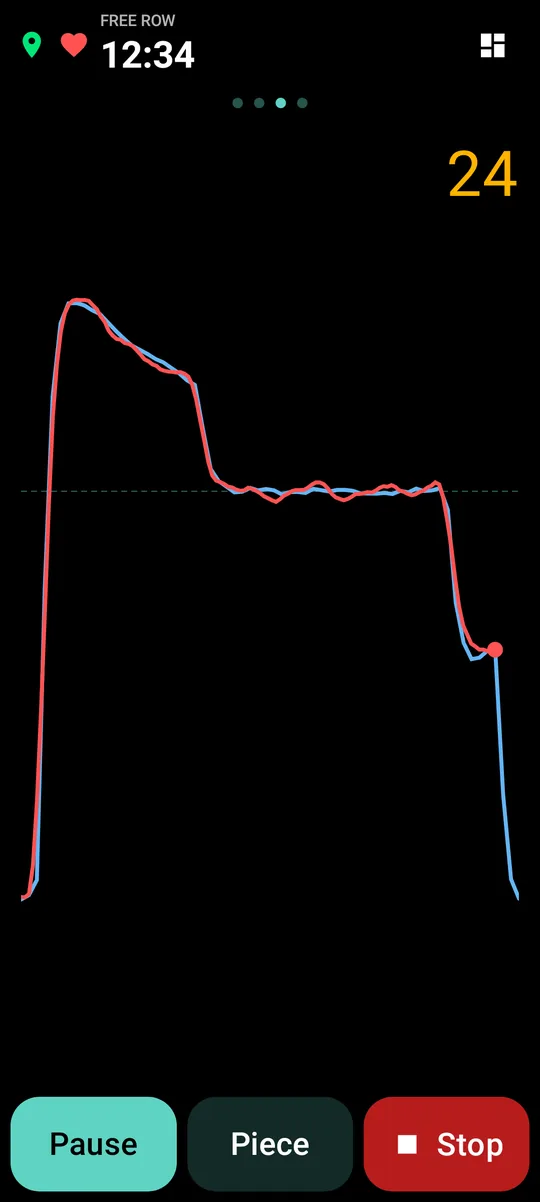
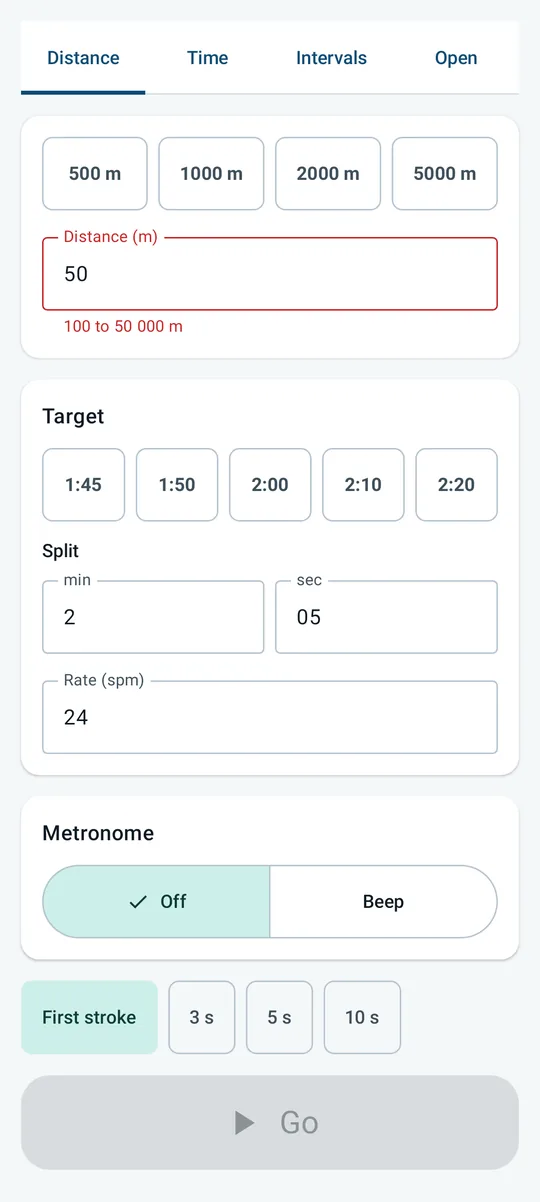
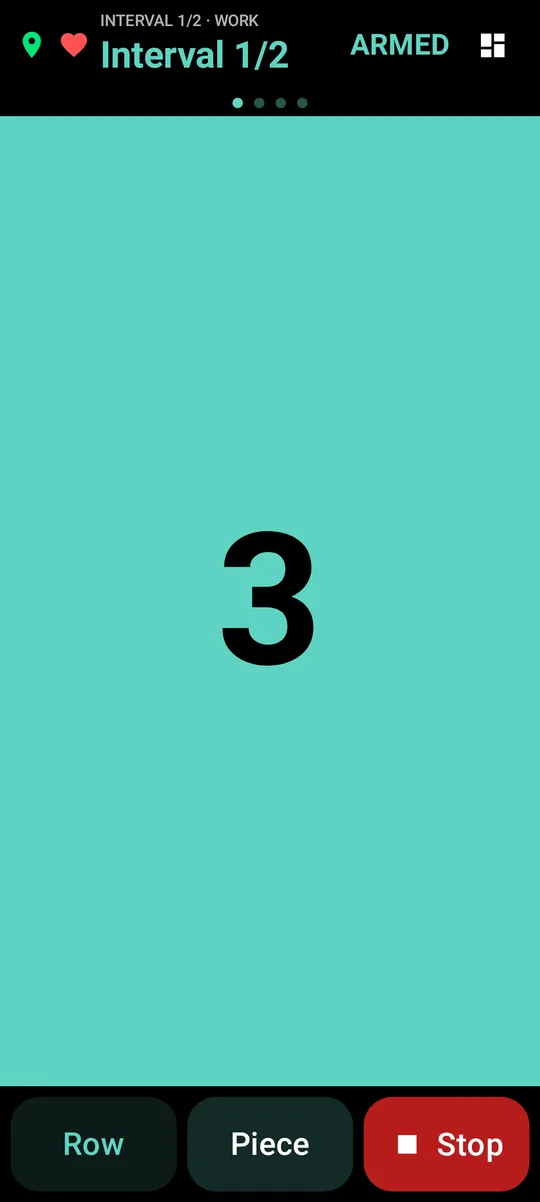
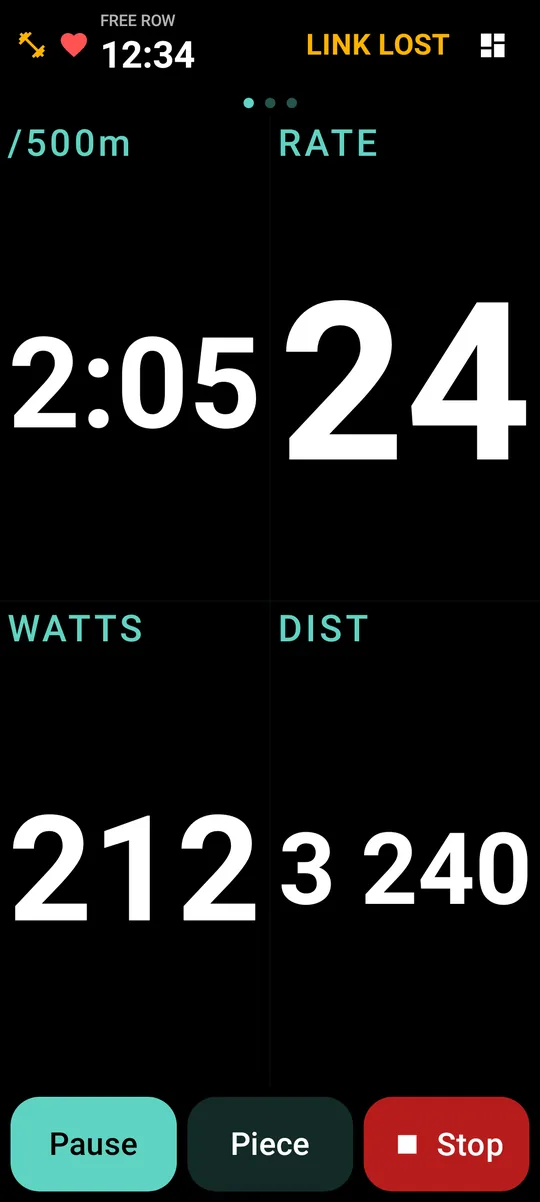
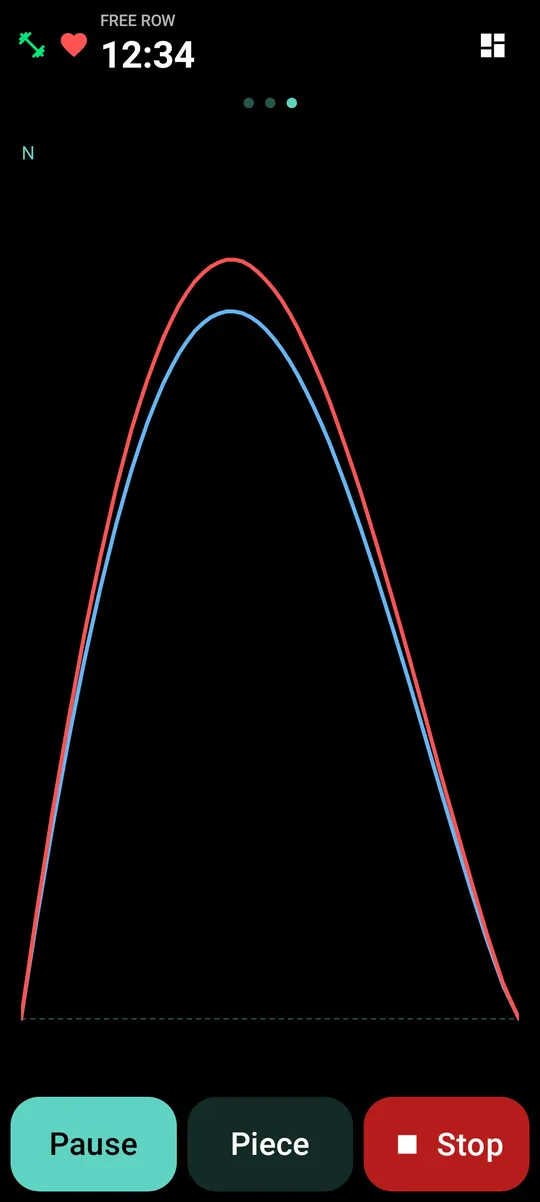
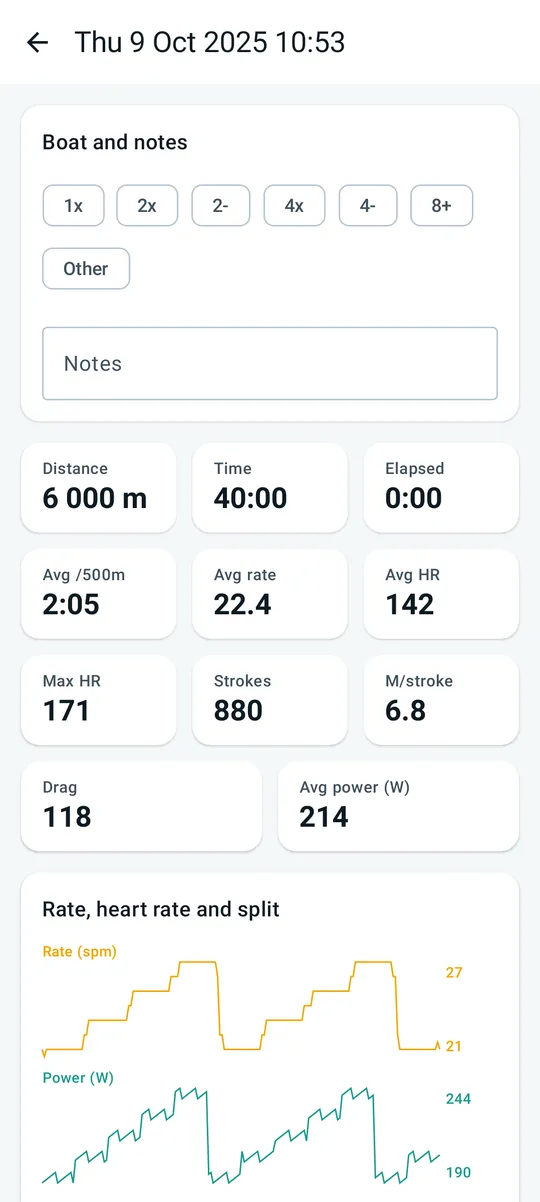
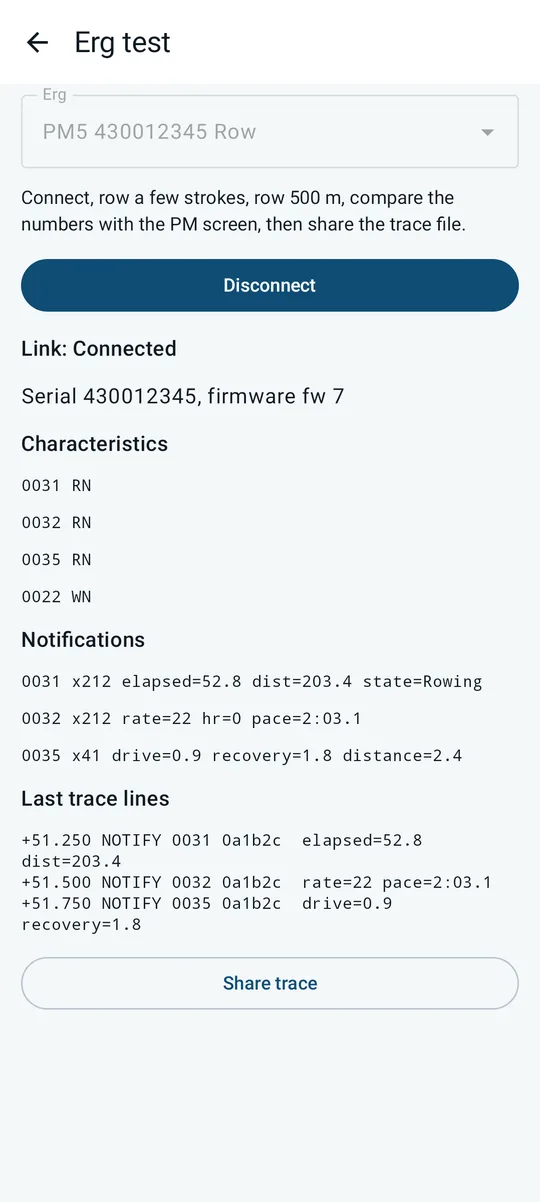
Every screen in the app, rendered from the current build. Dark is the default on the water; a light theme is one tap away in Settings.
Manual
- Getting started
- The Row screen
- Pieces
- Workouts
- Cues: targets, metronome, voice
- After the row
- Export, share and Strava
- Heart-rate strap
- Concept2 PM5
- Racing ergs
- Settings
- Demo and coach mode
- Troubleshooting
- Privacy and licence
Getting started
Takt needs nothing on the boat. Put the phone somewhere it can see the sky and feel the boat move: a phone mount on the footstretcher, a waterproof pouch clipped to the rigger, or a jacket pocket in a launch. It finds each stroke from the accelerometer and the speed from the GPS, so the phone has to move with the boat, not with you.
Home has one big button. Row starts a session on the water, or on the erg when an erg is connected. Below it sit the workout chips, the strap and erg status, and the last sessions. Race appears whenever nothing is recording.
The first row is the free row: tap Row, wait for the GPS pin in the header to turn green, and start rowing. The clock runs from the first stroke, pauses by itself when the boat sits still, and the session is saved when you press Stop.
The Row screen
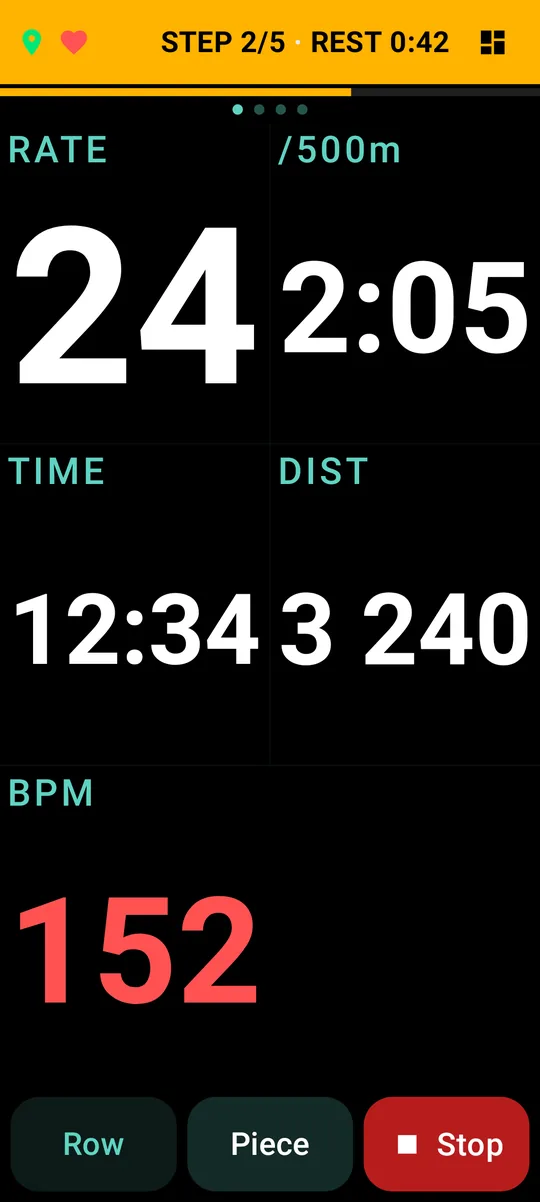
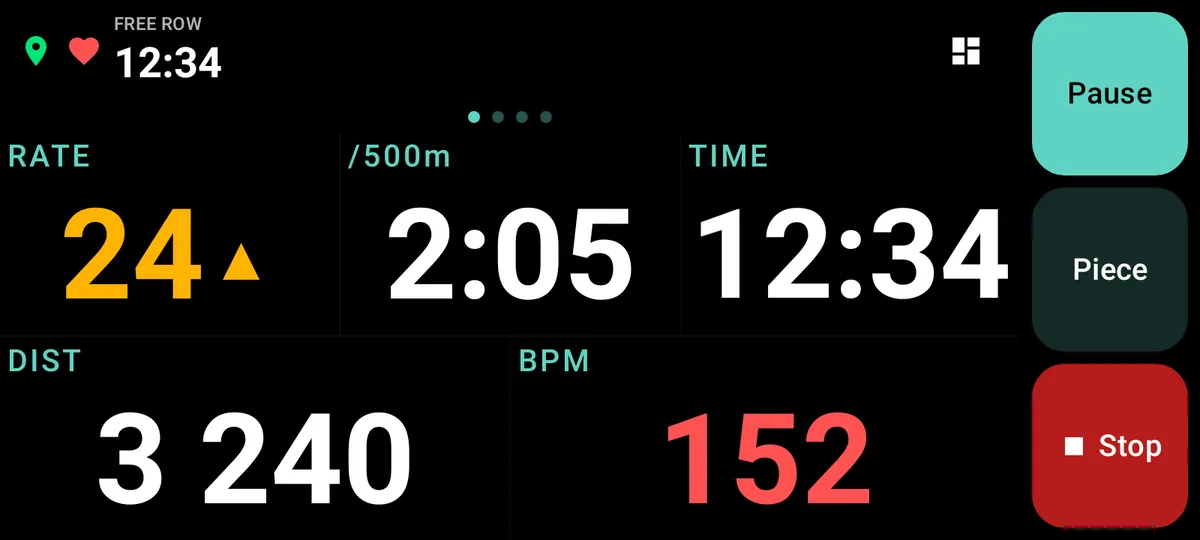
The live screen is full screen, with a fixed header (GPS, strap, the outing clock, the piece status) and three fixed buttons: Row or Pause, Piece, and Stop. Stop is a long press, so a wet thumb cannot end the outing. In landscape the buttons move to a column on the right. Swipe from the edge to see the system bars.
Between the header and the buttons are four pages. Swipe sideways to move between them.
| Page | What it shows |
|---|---|
| Tiles | One to six tiles: rate, split per 500 m, speed, distance, time, strokes, distance per stroke, heart rate, projected finish, clock, and what is left of the work block or rest. |
| Focus | One number, huge, with an arrow when you are above or below the target. Tap to change the field. |
| Live stroke | The acceleration profile of the stroke you are rowing, drawn over your typical stroke. |
| Last 10 | The last ten strokes side by side, to see whether the catch is drifting. |
Tap a tile to cycle its field. Long-press a tile, or tap the grid icon in the header, for the layout sheet: choose how many tiles and which field each one shows. The water layout and the erg layout are kept apart, so the erg can show watts without touching your water setup. The LEFT tile turns to the warning colour in the last five seconds or twenty metres of a block.
Pieces
Tap Piece on the Row screen to arm a piece. Four kinds: a distance (chips for 500 to 5000 m, or any value from 100 to 50 000 m), a time (entered as minutes and seconds), intervals (work and rest, repeated), or an open piece that runs until you end it. Every field shows its allowed range, and Go stays disabled until the input is valid.
Each piece can carry a target split and rate, a metronome, and a countdown: First stroke starts the piece when you take the first stroke, or pick 3, 5 or 10 seconds of full-screen digits ending in GO. An interval rest ends with GO on the exact second; no first stroke is needed. The header reads ARMED until the piece starts, then the piece status.
When a piece ends, the screen flashes DONE with a tone and the voice says so; the flash never covers the buttons. Abandoning a piece asks for confirmation. The outing carries on after the piece, so a 2 km piece in the middle of a 12 km row is one session with one piece in its table.
Workouts
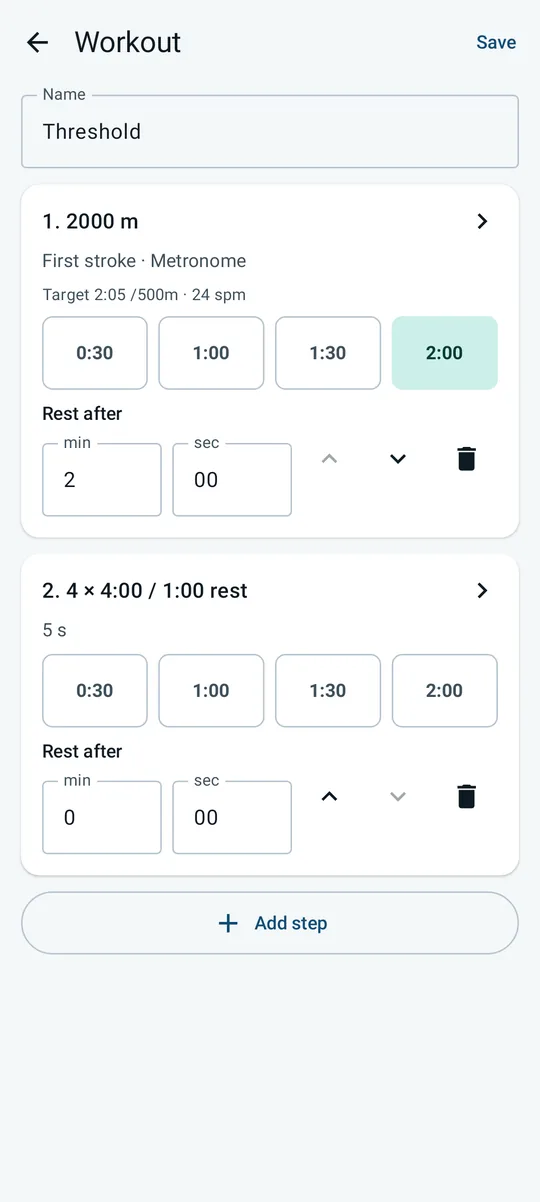
A workout is a saved sequence of pieces with rests, opened from the chips on Home. Give it a name, add steps, and tap a step to edit it in place: a 2000 m at a target split with a two-minute rest, then four times four minutes with one minute rest, say. Chips give the common rests; the fields take anything.
Start a workout from its chip. The header shows STEP i/n during work and REST with the time left between steps; a REST flash and a tone mark each change. The workout rows on the erg when one is connected, exactly like the Row button.
Cues: targets, metronome, voice
Set a target band on a piece and the rate tile and the Focus page show an arrow when you drift above or below it. The metronome beeps at the target rate, so it follows the piece rather than a fixed setting. The voice reads the automatic 500 m splits ("rate 24, split 2 oh 5"), the countdown, GO, Done and Rest, through the phone speaker or a headphone.
Auto pause stops the outing clock when the boat sits still and restarts it on the next stroke, so a wait at the turn does not sit in your average. It applies to the open outing, never inside an armed piece. The header reads AUTO PAUSED while it is on; Pause is the manual version.
After the row
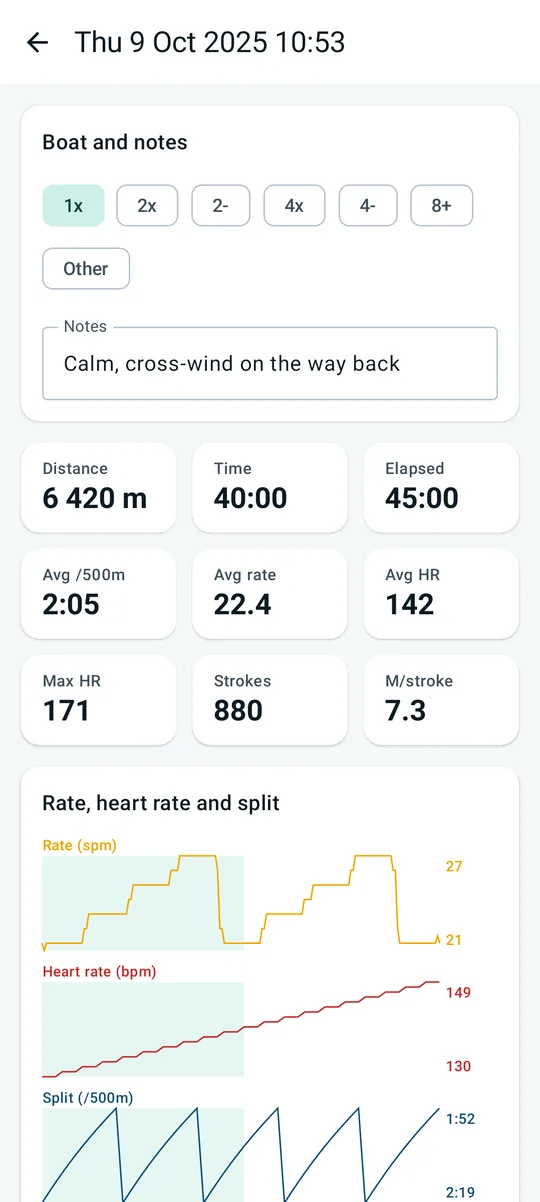
Stop opens the boat and notes card: pick the boat class and type a line about the conditions. Then the session: summary tiles (distance, time, elapsed, average split, rate and heart rate, maximum heart rate, strokes, metres per stroke), the map of the track, a chart with rate, heart rate and split lanes, and the table of pieces with their results.
History lists every session and race, newest first. Swipe a session to delete it. A race is deleted from its own detail screen. Sessions carry their source: WATER, ERG, SKI, BIKE, RACE, or DEMO for the ones rowed from the demo source.
Export, share and Strava
The Share button on a session offers the file as GPX or TCX to any app on the phone through the Android share sheet: Strava, Garmin Connect, Drive, mail, whatever you pick. Save to file keeps a copy on the device. Erg sessions have no track, so they share as TCX only. Races do not export yet.
Upload to Strava sits in the same sheet. The Strava phone app refuses files from the share sheet, which is why the direct upload exists. The first upload signs you in to Strava in the browser; the token stays encrypted on the phone and Settings, About shows the connection and the Disconnect button. Every session goes up as Rowing, as TCX, with the trainer flag set for erg sessions. Demo sessions are never uploaded.
Heart-rate strap
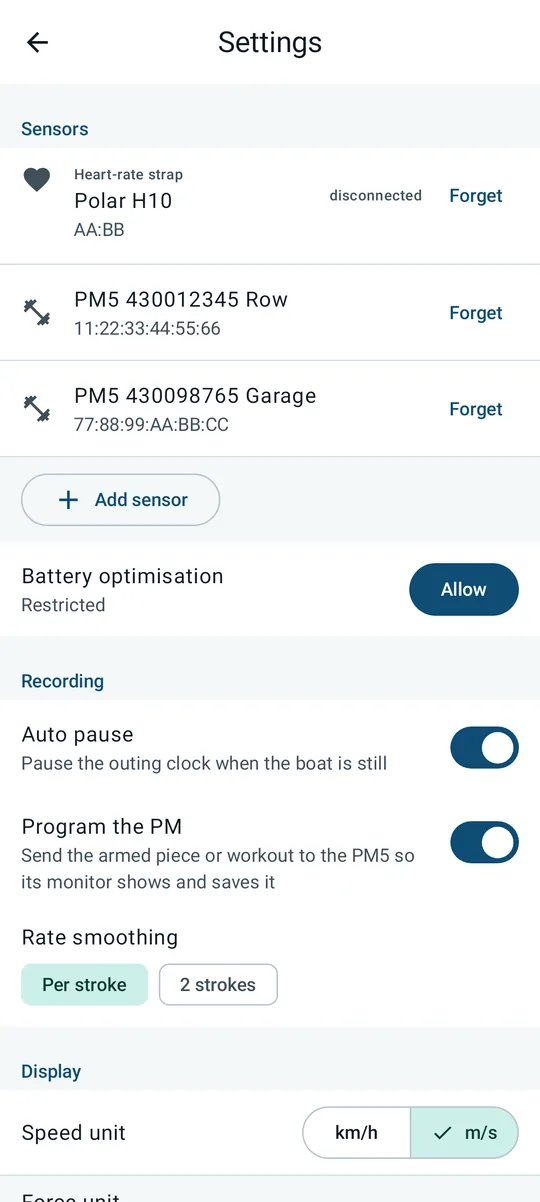
Any Bluetooth LE strap works (Polar, Garmin, Wahoo, Coospo and the rest). Settings, Sensors, Add sensor scans for straps and ergs at once; picking a strap replaces the saved one. The strap row shows Connected, In range or Not seen, and the heart in the Row header turns red when the strap is live. Heart rate goes into the tiles, the chart, the summary and the exports.
Concept2 PM5
Takt can take distance, pace, stroke rate, strokes, watts, drag factor and heart rate from a Concept2 PM5 over Bluetooth instead of the GPS and accelerometer. Add the erg under Settings, Sensors (Add sensor; any number of ergs can be saved and renamed with a long press), then Connect from the erg card on Home. While an erg is connected the Row button reads Row on the erg and starts an erg session, which asks for no location. The connection is kept between sessions and dropped after a minute out of range.
An erg session opens the piece setup first; the header reads JUST ROW until a piece is armed and shows the drag factor once. The pages are Tiles, Focus and Force: the last force curve over the typical one, with the peak force of the stroke, in newtons or pounds. Erg numbers refresh four times a second.
Programming the PM
When you arm a piece or a workout, Takt sends it to the PM, so the monitor runs it and saves it in its own memory: a fixed distance or time, fixed intervals, or a workout as variable intervals. Takt stays the referee: if the PM rejects the frame, the session carries on from the app's own clock. Pressing Menu on the PM ends the session, as Stop does. Fifteen seconds after a piece ends, the PM is sent back to Just Row so paddling counts again. The switch is Settings, Recording, Program the PM; with it off, leave the PM in Just Row and Takt runs everything itself.
SkiErg and BikeErg
Takt reads the machine type from the PM. A SkiErg is shown like a rower. A BikeErg shows RPM instead of rate and the pace per 1000 m; targets are per 1000 m and the voice says "cadence". The history tag and the session summary name the machine.
Diagnostics
The PM5 decoding is new and was built from open-source parsers. If an erg session looks wrong, Settings, Diagnostics, Erg test connects the erg, shows the decoded numbers live, and writes a trace file: row a few strokes and 500 m, compare the table with the PM screen, then Report a problem on the same Diagnostics page sends the trace with the email. The Log erg traffic switch records every erg session the same way.
Racing ergs
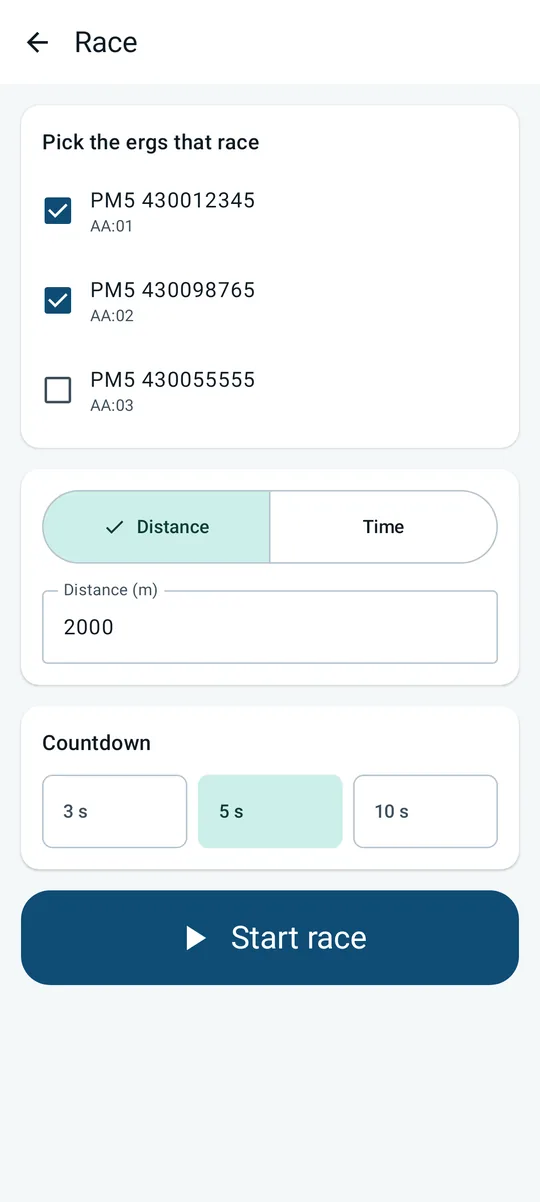
Two or more ergs, one phone. Tap Race on Home, tick the ergs that race, choose distance or time and a countdown, and Start race connects every erg and programs it with the goal. Go lights up once two lanes are connected; the countdown runs on the phone with the usual tones and digits.
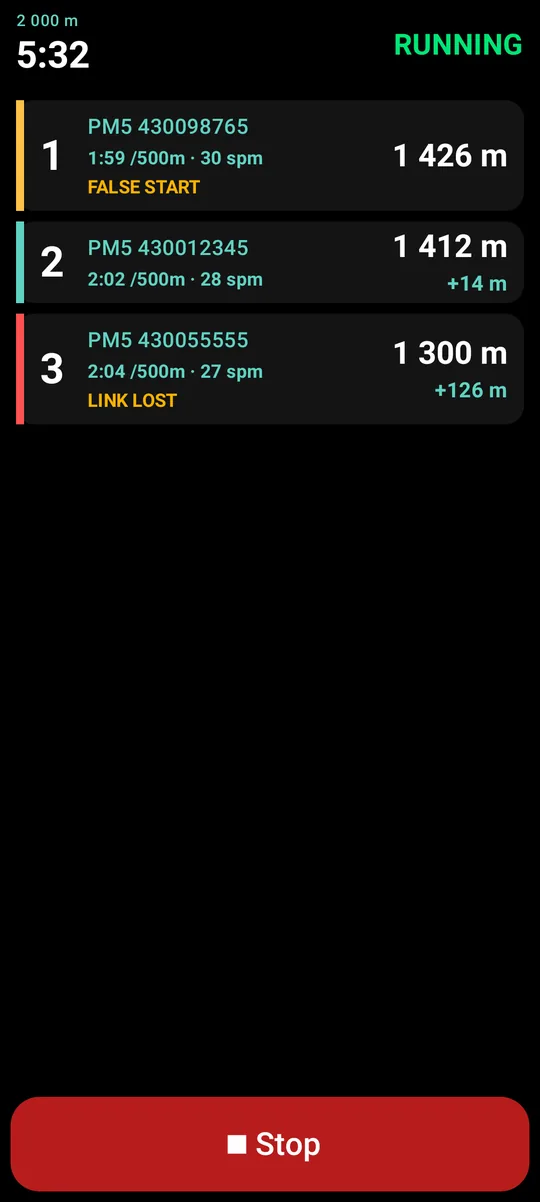
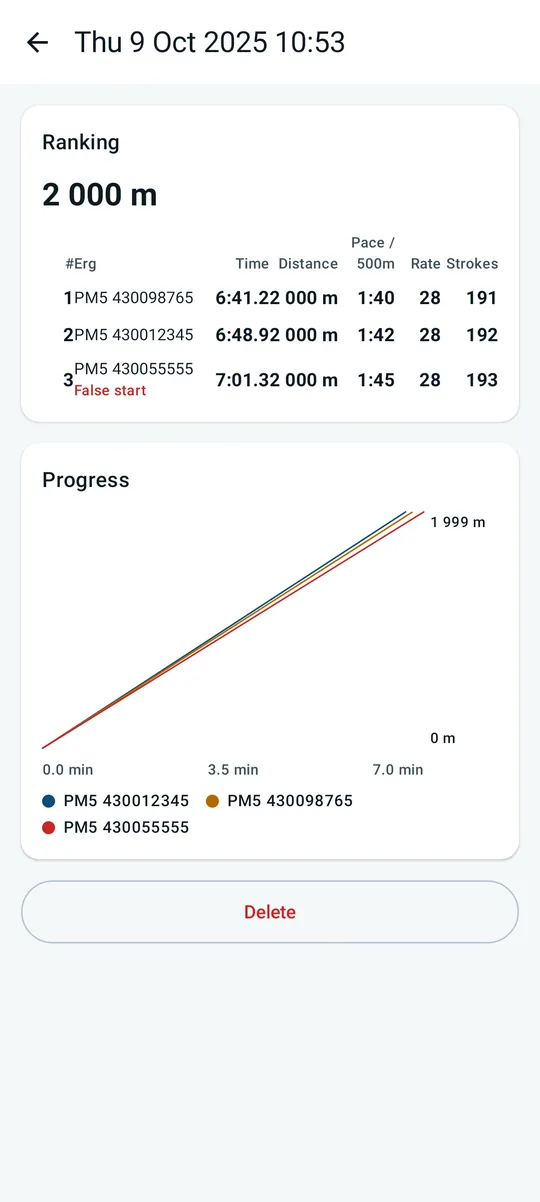
Lanes are ordered by position with distance, pace, rate and the gap to the leader. A lane that moves more than two metres between arming and GO is marked False start and races on. A lane that loses its link keeps its last distance and rejoins when the link returns. A distance race finishes each lane at the goal, with the time interpolated between samples; a time race reads every lane's distance at the final second. The result goes to History with the RACE tag: a ranking table and a progress chart of distance against time.
Settings
| Section | What is there |
|---|---|
| Sensors | The strap and the saved ergs, with their status; Add sensor, rename, Forget. |
| Battery | One tap to take Takt out of battery optimisation, so the GPS keeps running with the screen off. |
| Recording | Auto pause, Program the PM, rate smoothing (per stroke or over two strokes). |
| Display | Speed in m/s or km/h, force in N or lbs, theme, keep the screen on. |
| Audio | Voice announcements, the metronome sound, tones. |
| Diagnostics | The app log, recorded traces, the erg log switch, Erg test, and Report a problem (a pre-filled email with the log and the latest trace). |
| Demo | Demo source, rate slider, "Stop rowing". |
| About | Version, licence, the Strava connection. |
Demo and coach mode
Demo replaces the sensors with a simulated boat, so you can learn the screens on the sofa: turn it on in Settings, set a rate with the slider, and every screen behaves as on the water. Demo sessions are tagged DEMO and never uploaded. With demo on, the race setup offers two simulated lanes.
Coach mode is for the launch: tap once per stroke and Takt reads a rate from your taps, for the crew that has no phone on board.
Troubleshooting
- No strokes counted. The phone must move with the boat. A phone in a pocket on your body sees your body, not the hull.
- Split jumps around. GPS needs open sky and a minute to settle; wait for the green pin. Rate smoothing over two strokes calms the rate tile.
- GPS stops mid-row. Battery optimisation. Allow Takt in Settings, Battery, and keep the screen on if the phone is aggressive about it.
- The PM5 will not connect. A PM accepts one connection. Forget it in the phone's own Bluetooth settings, and close ErgData or any other app that holds it.
- The erg numbers disagree with the PM. Run the Erg test, then Settings, Diagnostics, Report a problem: the trace is attached for you. This is exactly what it is for.
- Strava refuses the file. Use Upload to Strava in the Share sheet; the Strava app does not accept files from the share sheet.
Privacy and licence
Takt has no account, no analytics, no advertising and no server. Sessions stay in the app's database on the phone. The only network calls are the ones you start: the map tiles on a session screen, and a Strava upload. What leaves the phone is the file you chose to send.
The source is on GitHub under the GPL-3.0. Takt was made for Akademiska Roddföreningen in Stockholm and for anyone else who rows.
Feedback
Takt is built by one rower for other rowers, so what you run into on the water decides what gets built next. The quickest report is from the app itself: Settings, Diagnostics, Report a problem opens an email already filled with the app version, your phone and Android version, the app log, and the latest erg trace when there is one. No account needed. Ideas and bugs can also go to the public tracker, which takes a GitHub account.
For an erg problem, turn on "Log erg traffic" or run the Erg test first, reproduce it, then Report a problem so the trace rides along. For a GPS or stroke problem, say where the phone was mounted. Every report gets an answer.